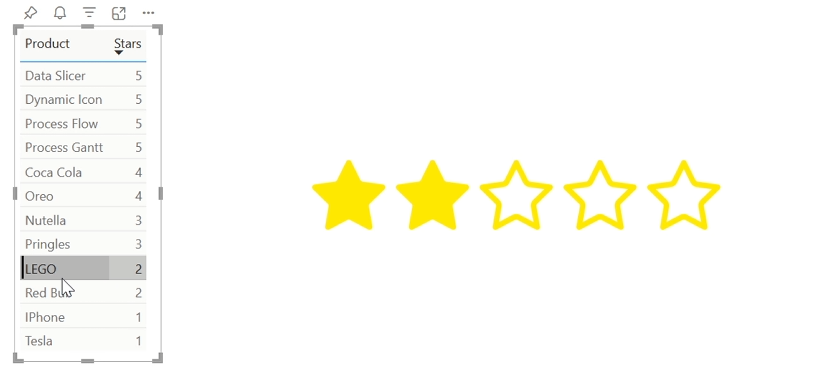
Find out about key features of the Dynamic Icon visual:
Power BI Certified
Certification of our Power BI visuals ensures top-notch security, quality, and performance for our customers. Each visual undergoes rigorous Microsoft reviews for security, code quality, functionality, and compatibility, ensuring they are free from malicious code and perform seamlessly across all Power BI platforms, including web, desktop, and mobile. Certified visuals meet strict performance metrics, efficiently handling large data volumes without compromising overall performance. They also include accessibility features, ensuring usability for individuals with disabilities, and use only approved APIs for flawless integration. Additionally, strict measures prevent unauthorized data exfiltration, safeguarding sensitive information. By choosing our certified visuals, you benefit from secure, reliable, and regulation-compliant tools, enhancing your data analysis capabilities with confidence and peace of mind.
Icons
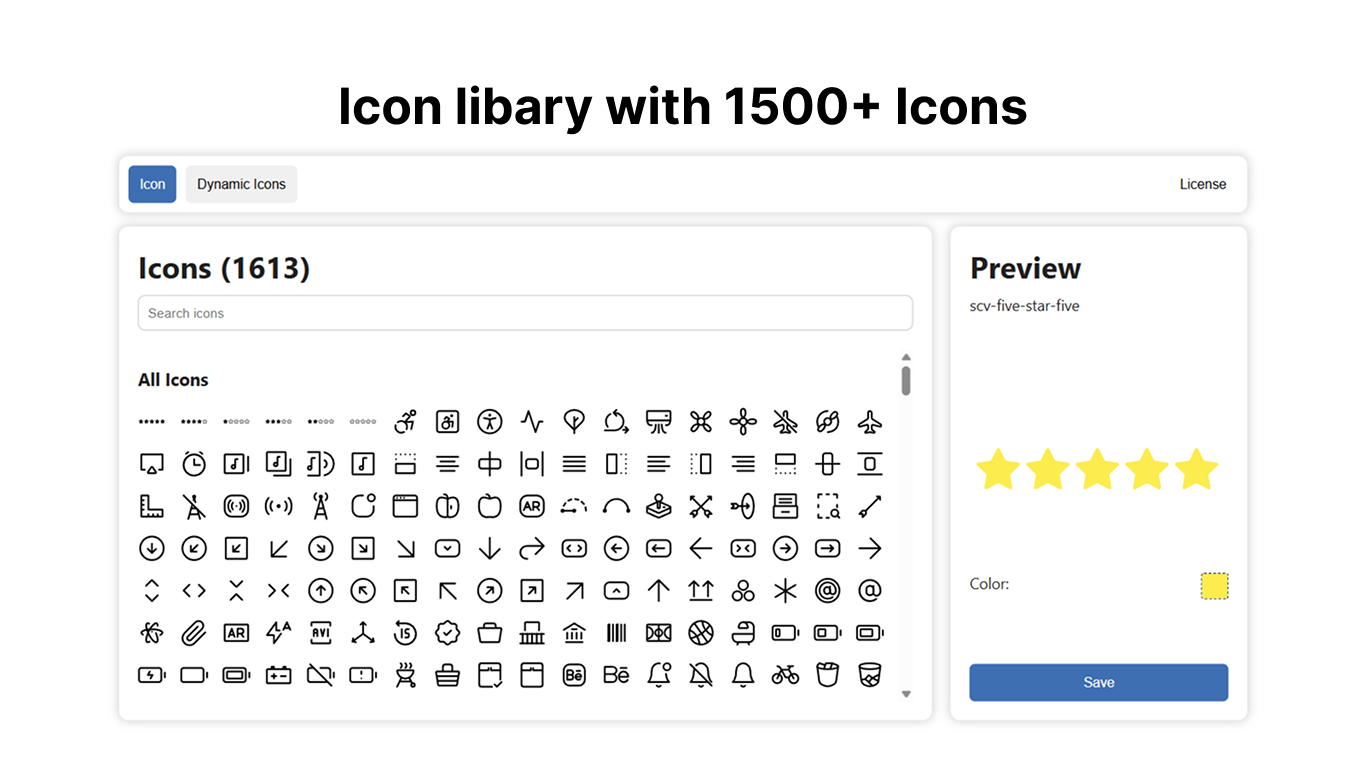
Our new icon library includes over 1,500+ icons, offering a vast selection for modern interfaces and designs. All icons are cleanly structured, consistently designed, and optimized for a wide range of use cases – from web and app design to presentations and marketing materials.
With such a broad variety, you can find the perfect symbol for almost any function or context. The library is built to integrate seamlessly into existing design systems, helping to bring more clarity, consistency, and professionalism to your visual projects.
In short: more icons, more flexibility, better design.
Documentation button
Dynamic Icons
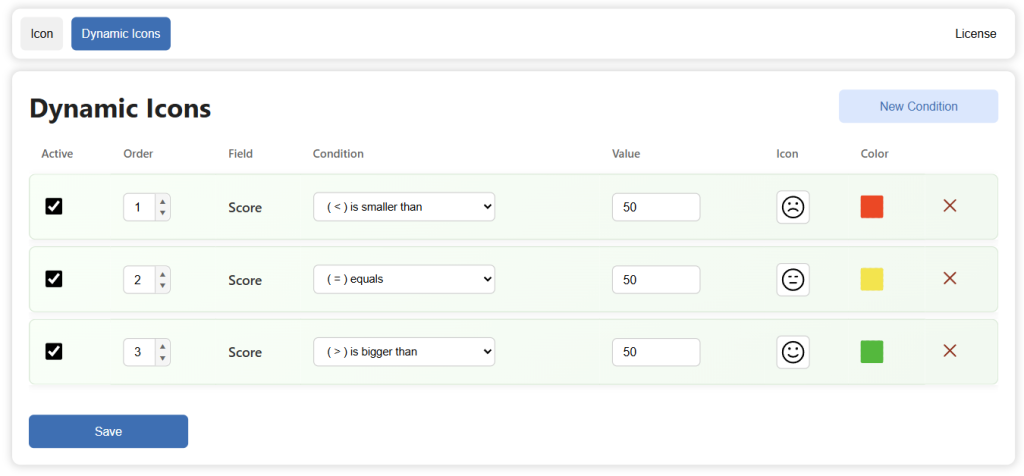
Our Dynamic Icons section is a dedicated part of the library focused on condition-based, interactive icons. It enables you to define rules so icons can change automatically based on conditions, using either measures or text as input.
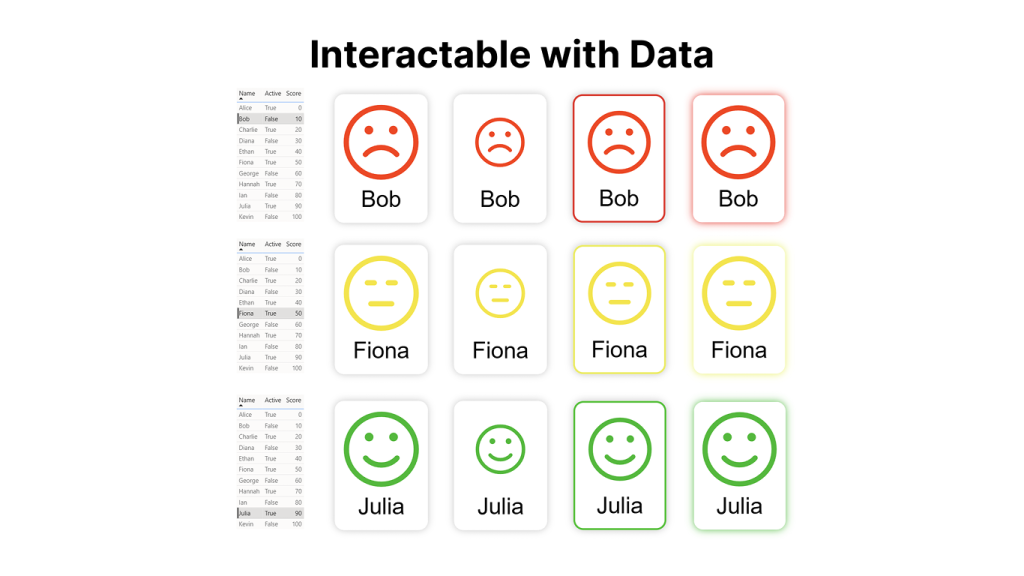
This makes it possible to build truly adaptive interfaces where icons respond in real time—for example, reflecting thresholds or contextual text values without any manual intervention.
Designed to integrate seamlessly into modern design systems, Dynamic Icons connect data and visuals in a natural way, resulting in more intuitive, responsive, and intelligent user experiences.
In short: icons driven dynamically by measures or text, adapting exactly to your context.
Documentation button
Customization
Our customization features give you full control over how icons look and feel, allowing you to tailor them precisely to your design system.
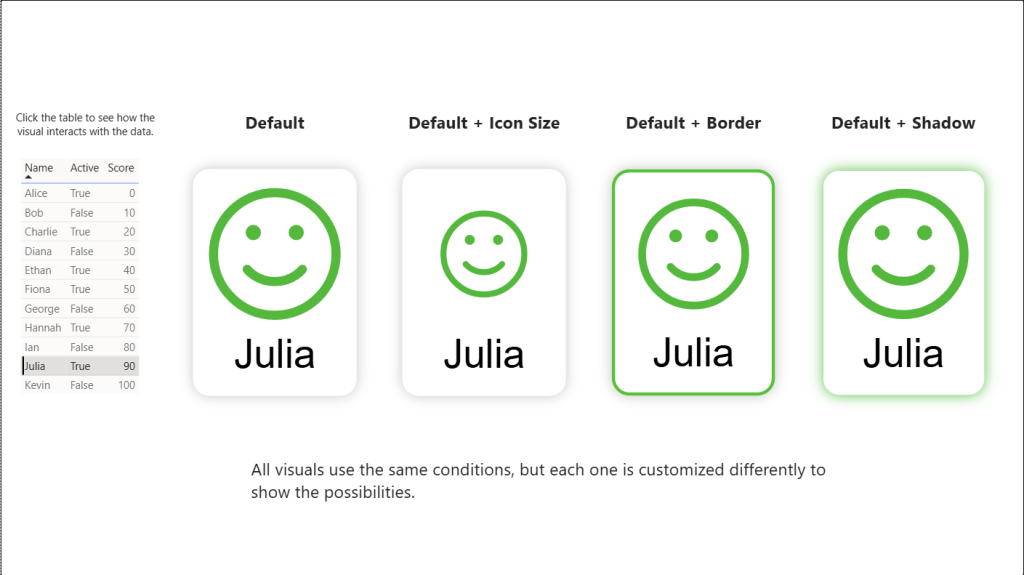
You can add different shadow effects, and choose from a variety of shapes to match your visual language.
In addition, a built-in text display function lets you combine icons with labels or dynamic text, making it easier to communicate meaning directly within the icon itself.
This flexibility ensures that every icon can be adapted to fit both aesthetic and functional requirements, creating a more consistent and expressive user experience.
In short: full customization with two-tone shadows, shapes, and integrated text display.
Documentation button
Example Dashboard
Documentation
The Dynamic Icon visual has an extensive online documentation covering all parts of the visual